, ,

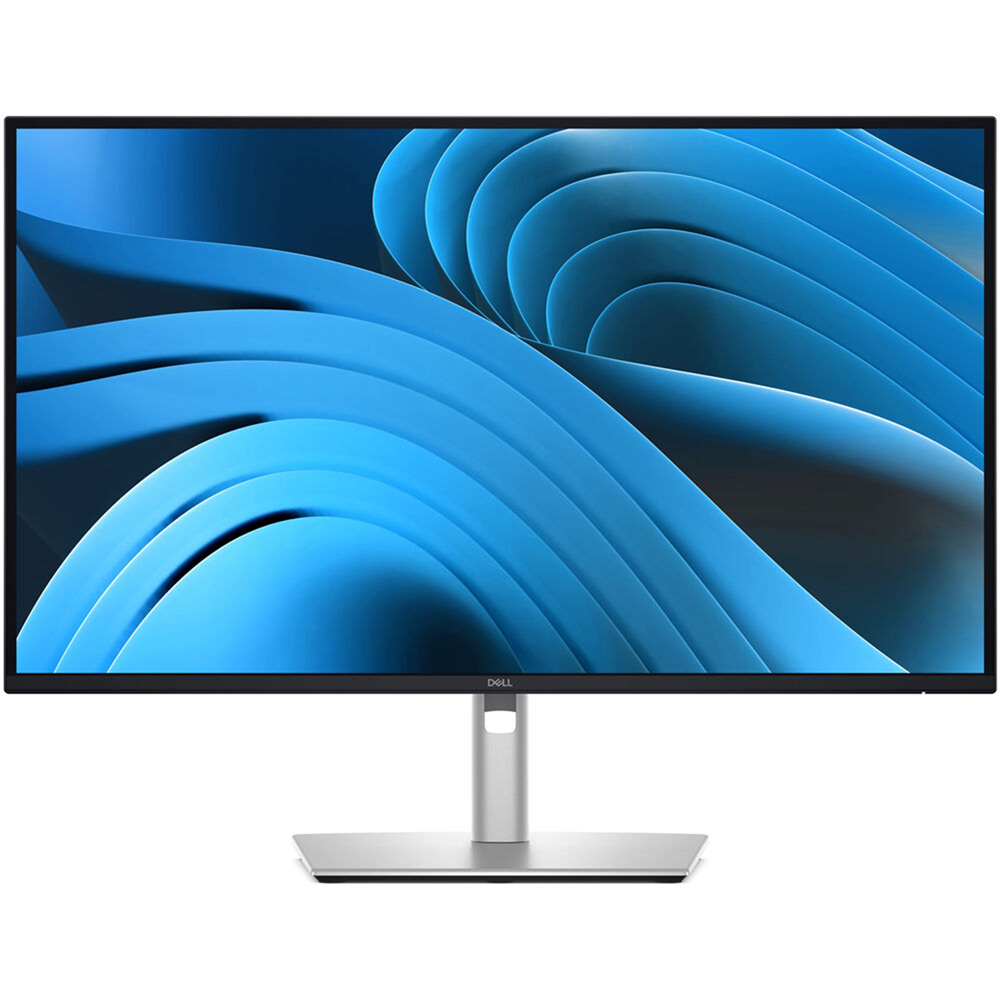
Dell Pro 27″ Plus P2725QE 4K IPS 100Hz 5ms USB-C 90W Rotatable Adjustable Eye Comfort Monitor

SKU: PCK17632 Categories: , ,
Dell
Availability:

In stock


Dell

Size 27″
Panel Type IPS
3840 x 2160 at 100 Hz
Response Time – 5 ms
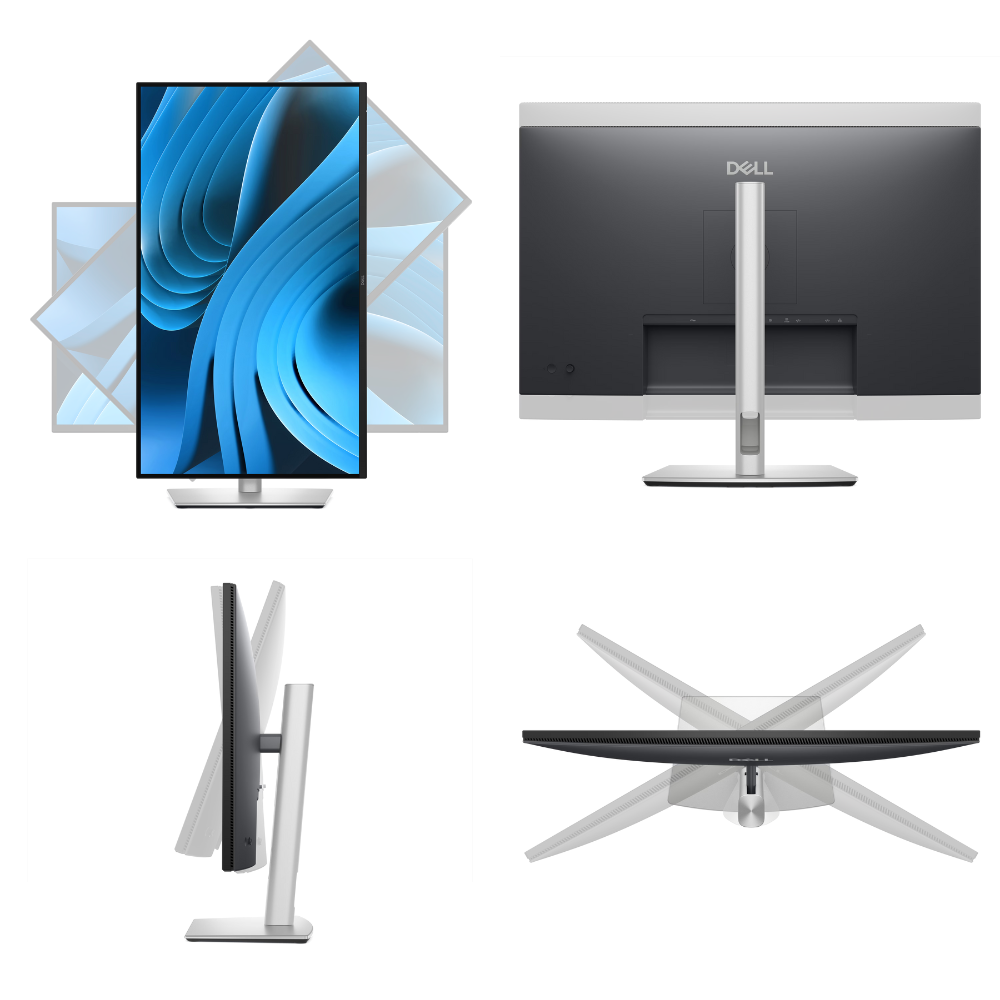
Height, Tilt, Swivel, Pivot, Wall mount
DisplayPort 1.4 / HDMI 2.1 / USB-C 90W PD / RJ45

KD 155.000

In stock

Buy Now

Dell

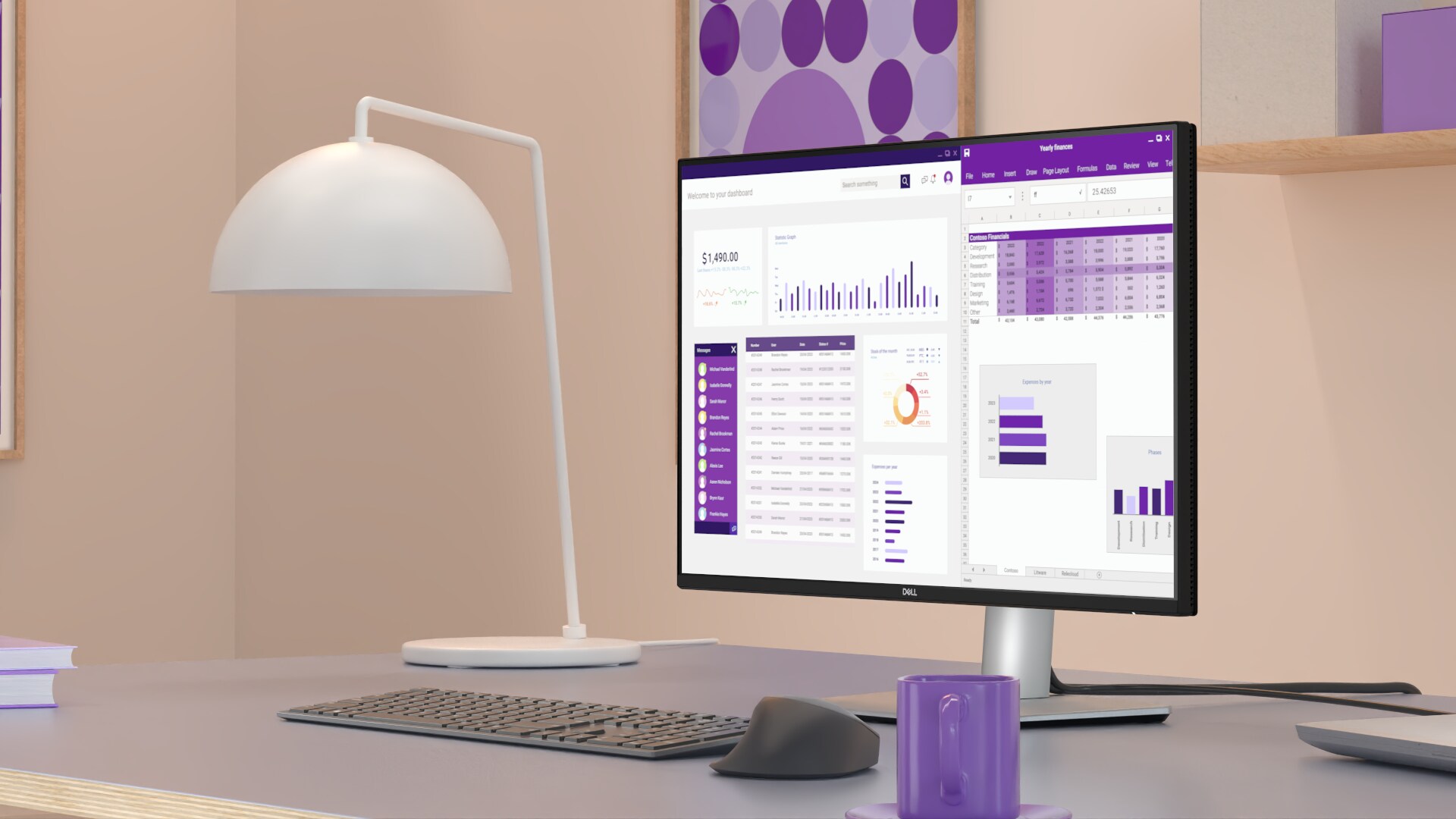
Stay productive with this 27-inch 4K monitor featuring extensive connectivity and certified by TÜV for 4 star eye comfort.

Connectivity meets productivity
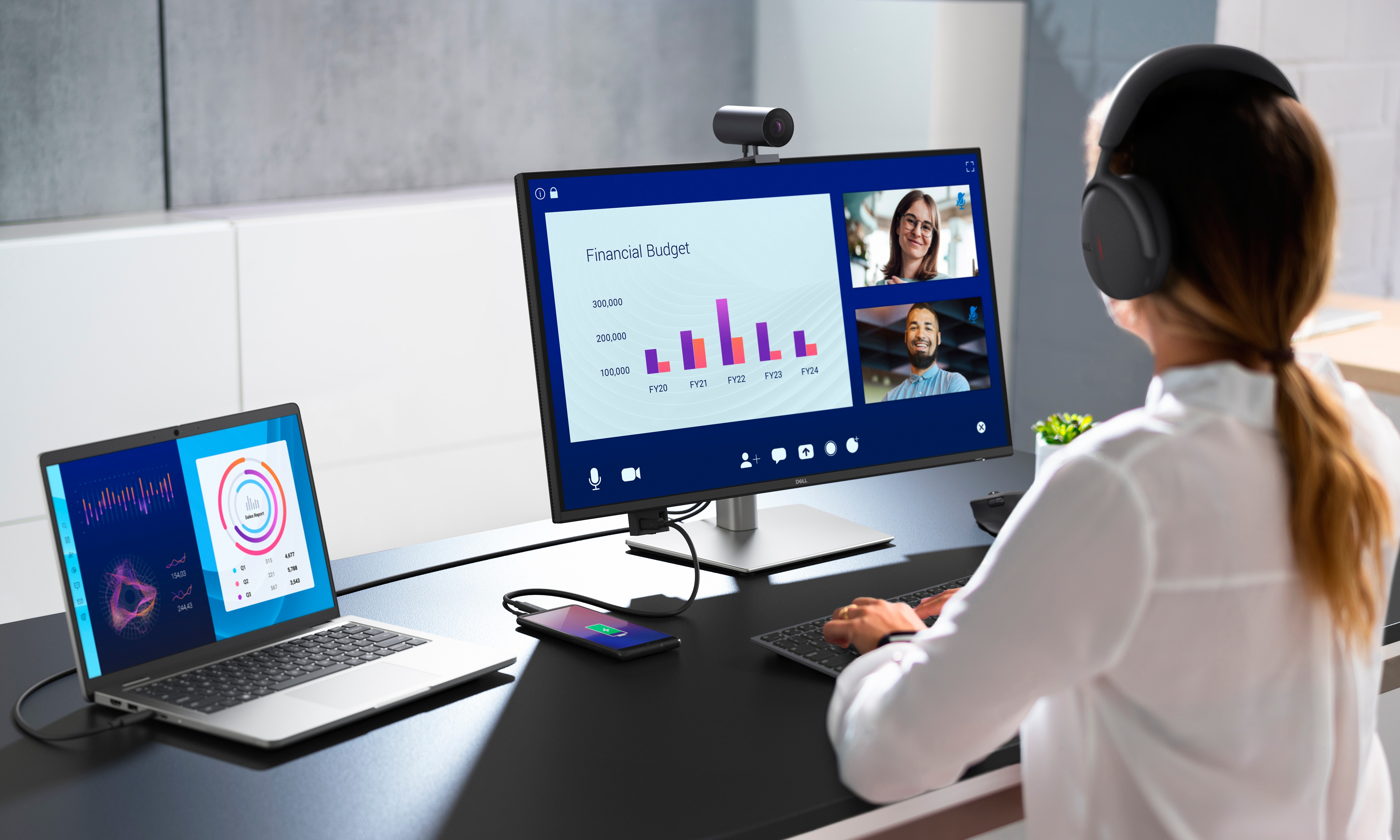
 Businesswoman working on a Dell Pro 27 Plus 4K USB-C Hub Monitor, connected to a laptop, while wearing a headset.

Single-cable solution

Transmit video, data, Ethernet and up to 90W power delivery all at once with USB-C.

Variety of ports

Including HDMI, DP, USB and RJ45 for stable Ethernet.

Works with devices on macOS®*

Tested with devices on macOS, this USB-C monitor is ready-to-work with Mac® devices.

*Based on internal testing of select Dell monitors with USB-C or HDMI connection to devices on macOS, June 2024.
Requires USB-C or HDMI connectivity. Some features may not be supported.

Enhanced eye comfort

TÜV 4-Star certified monitor for eye comfort[1] reduces eye fatigue while you work.

Dell Pro Plus Family Monitors Improved ComfortView Plus Video

Featurette for Improved ComfortView Plus

Improved ComfortView Plus
Reduced harmful blue light emissions to ≤35%, for all-day comfort without sacrificing color.

High Refresh Rate

High Refresh Rate

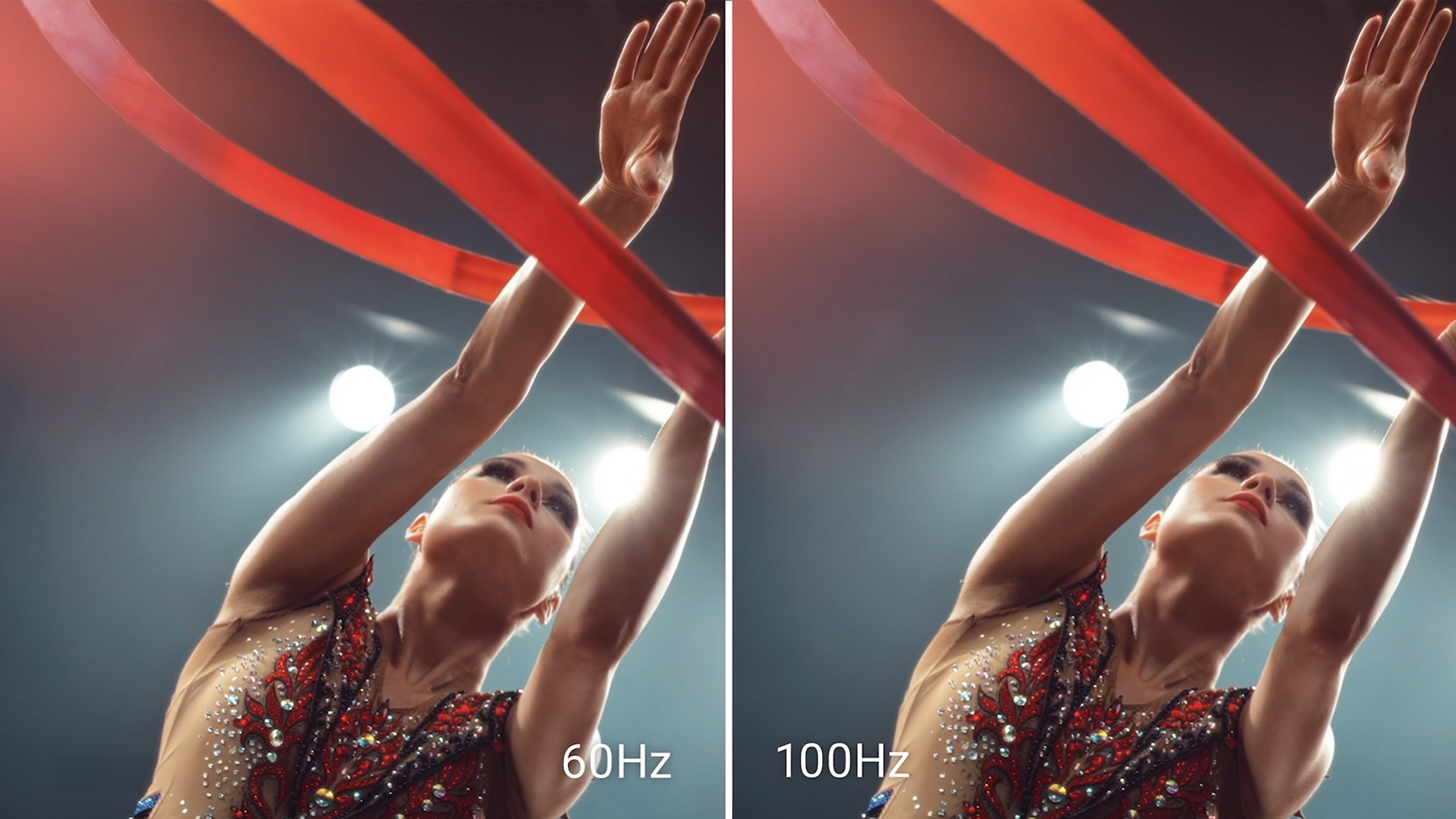
Refresh Rate

100Hz refresh rate delivers less flicker, more seamless scrolling and smoother motion.

Oceanside town with colorful buildings.

Vivid Colors

Wide color coverage with up to 1.07b displayable colors of 99% sRGB.

Picture perfect detail

With 4K resolution and improved contrast ratio, your work has never looked this good.

Stunning 4K
Every detail stands out with 4K (3840 x 2160) resolution.

Color consistency
Vibrant colors across wide viewing angles enabled by In-Plane Switching (IPS) technology.

1500:1 contrast ratio
For deeper blacks and brighter whites.

Quick Access Ports Video

Quick Access Ports Video

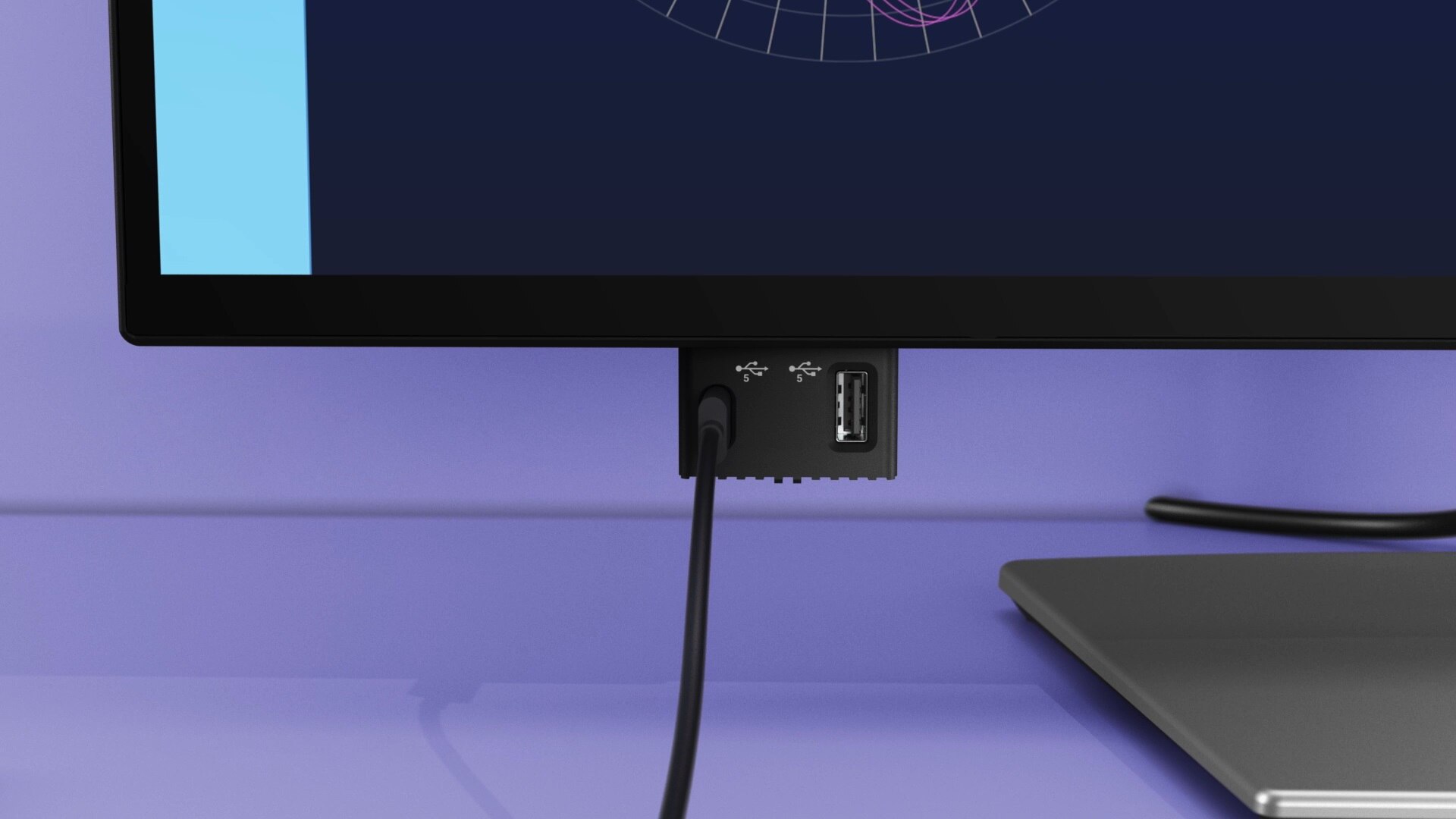
Quick access ports

Experience the convenience of front-facing, pop-out USB-C (with up to 15W charging) and USB Type-A ports for easy connectivity. When you are done, just pop the ports back in for a clean look.

Work in comfort

Designed for comfort and style with adjustability features and an ultra-thin bezel.

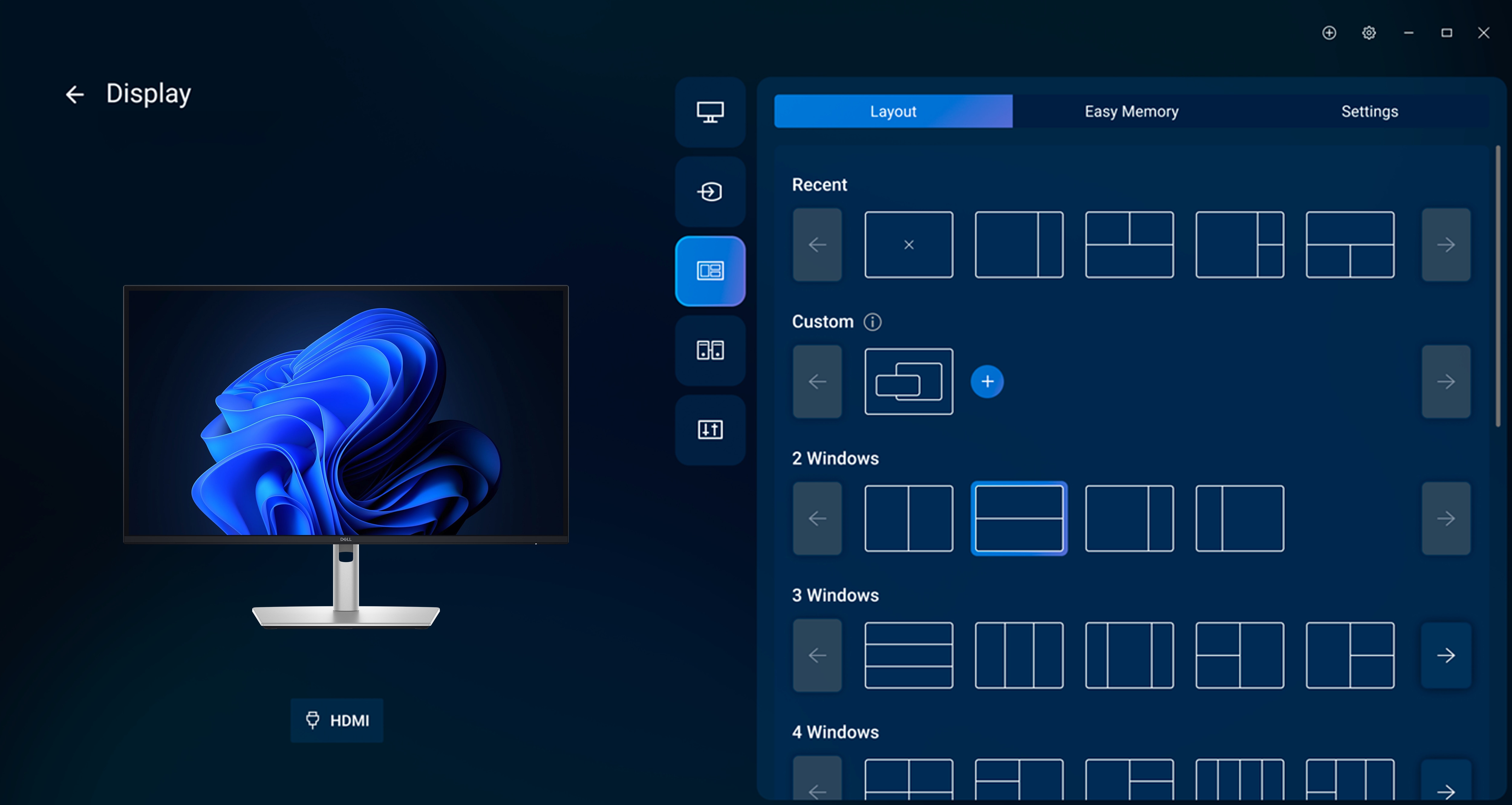
Dell Display and Peripheral Manager

Experience Dell’s singular, innovative application to optimize the performance of your entire Dell PC workspace[2].
Maximize productivity
Easy Arrange tiles apps across screens with pre-set partitions and customizes up to five windows, enhancing multitasking. Easy Arrange Memory saves and restores app profiles manually, on schedule, or at start-up.Customize your views
Work comfortably, day or night. Automate your brightness and contrast settings to match your schedule.

More manageable
Save time and boost IT efficiency with the Dell Device Management Console to manage your Dell peripheral fleet at scale, from a single cloud-based console. Discover expanded Command Line Interface features from Dell Display and Peripheral Manager[3].

Learn more about Dell Display and Peripheral Manager

Disclaimer: Screen image simulated for illustrative purposes only. Monitor model may vary.

Rolling green hills.

Environmentally-forward thinking

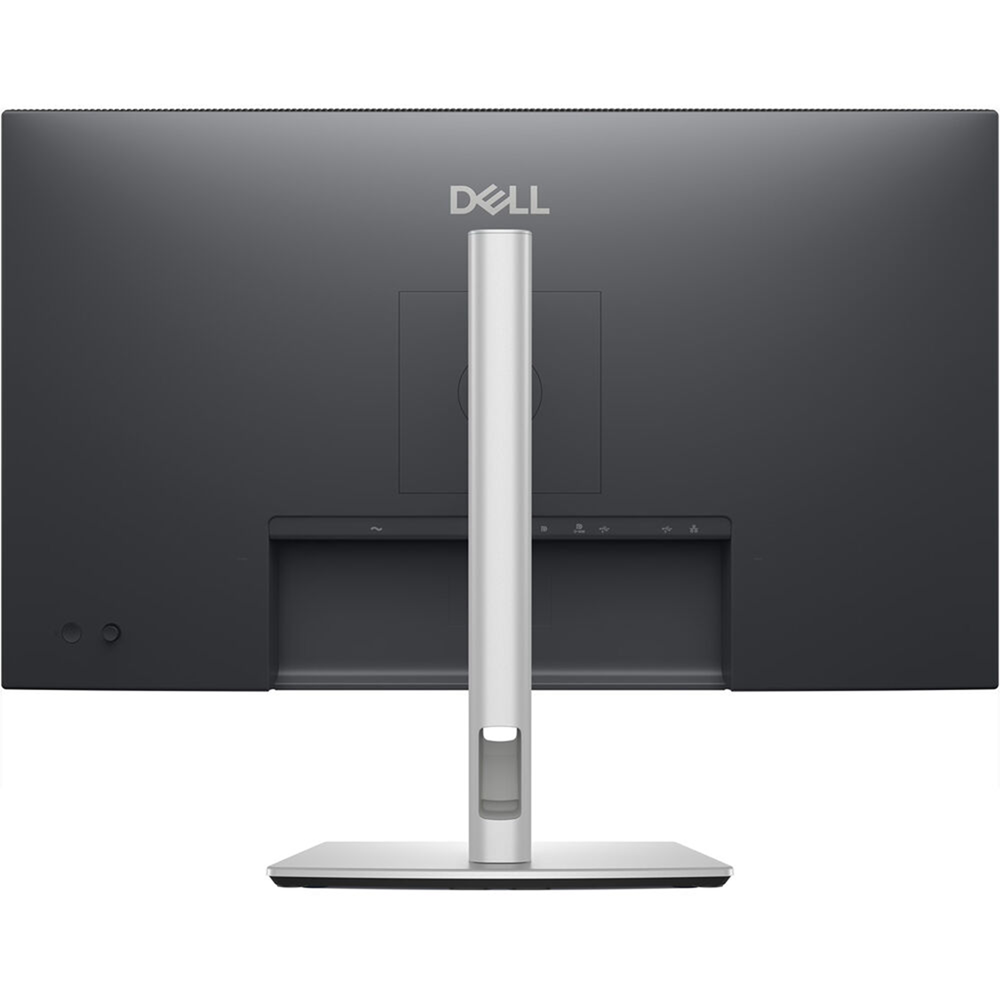
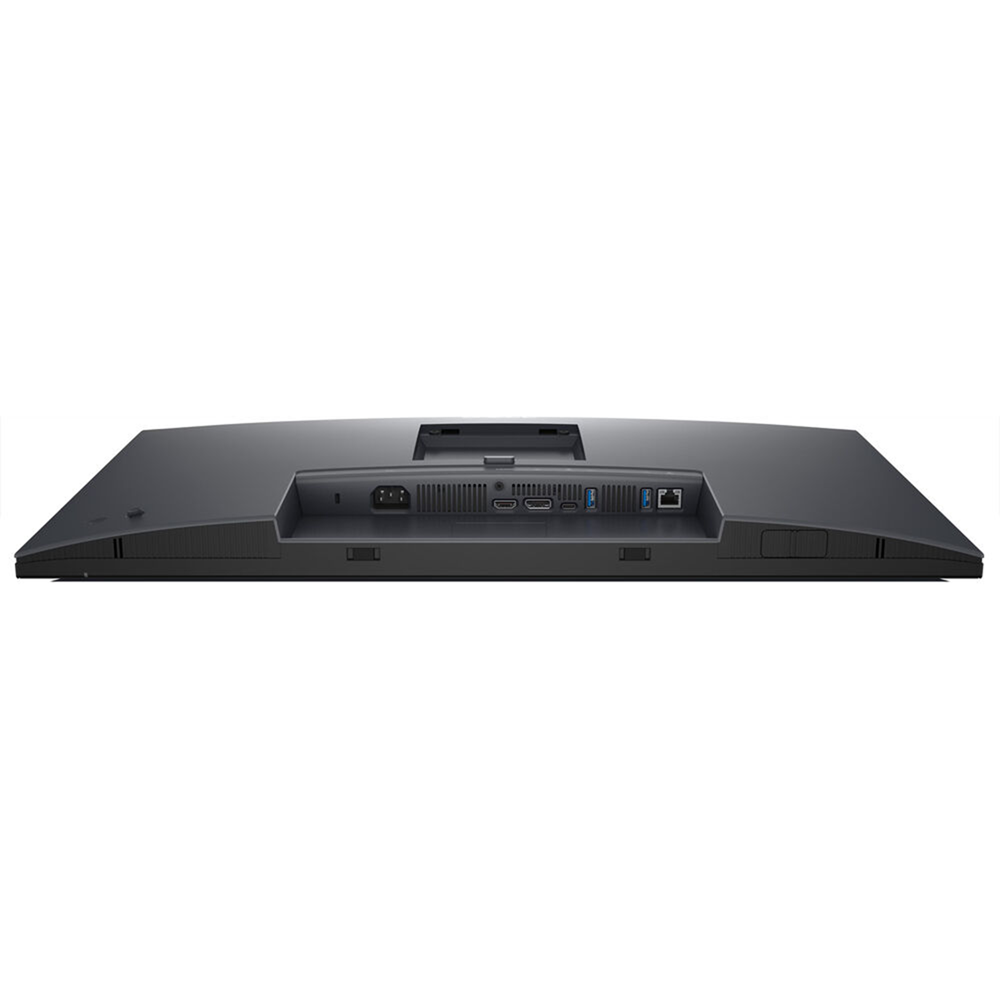
Ports and slots

Rear view

  1. Security lock slot (based on Kensington Security Slot™)
  2. Power connector
  3. Stand-lock
  4. HDMI
  5. DisplayPort 1.4
  6. USB-C 5Gbps upstream (DP 1.4 Alt. mode, power delivery up to 90W)
  7. USB Type-A 5Gbps downstream (2)
  8. RJ45 Ethernet port, 1GbE
  9. USB-C 5Gbps downstream (Data only)
  10. USB Type-A 5Gbps downstream
  11. Soundbar slots (2)

Cables included

  • Power cable
  • DisplayPort 1.4 (DisplayPort to DisplayPort), 1.8m
  • USB-C to C 10Gbps 100W , 1.0m
  • USB Type-C to Type-A 5Gbps 15W, 1.8m

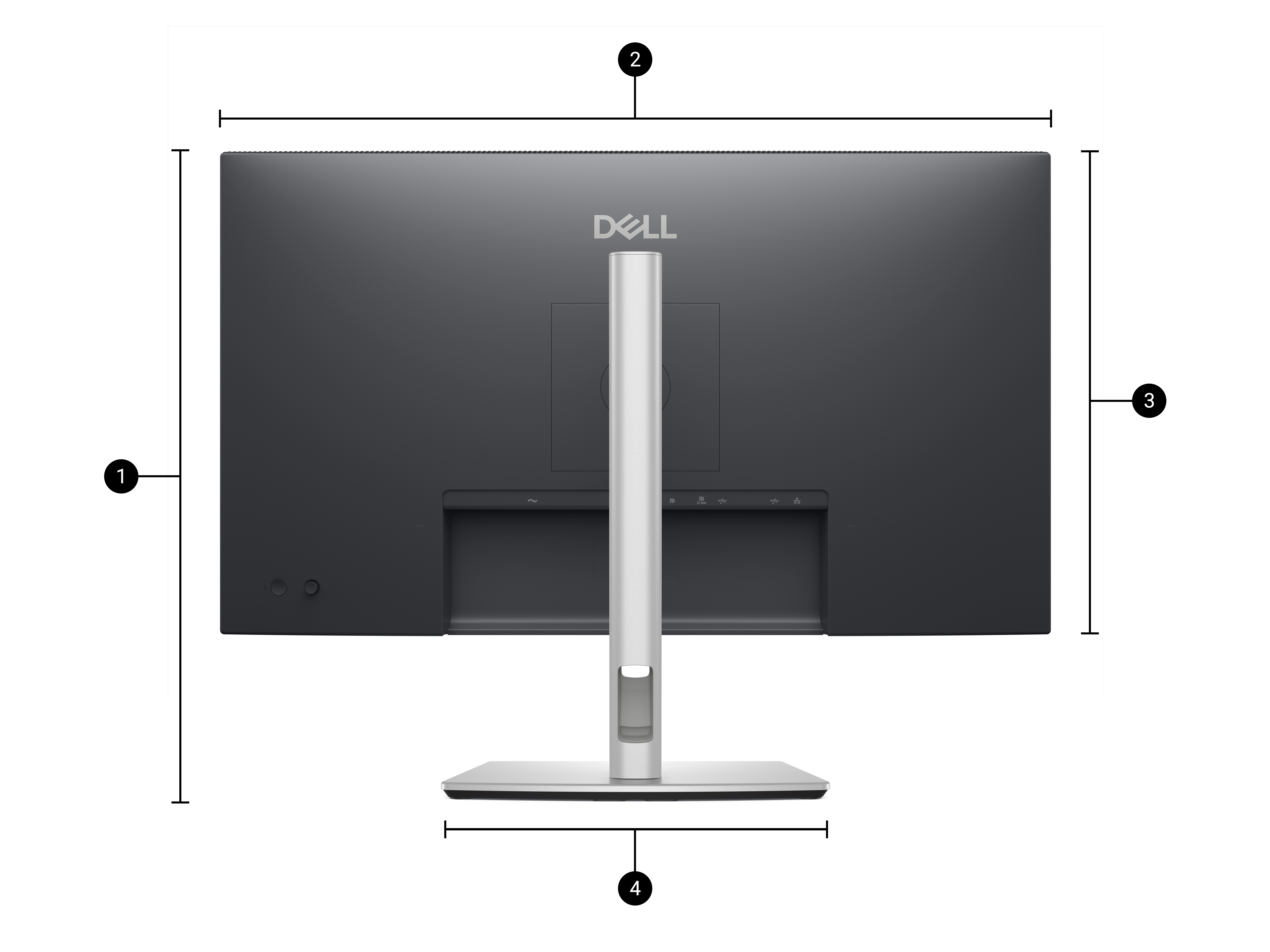
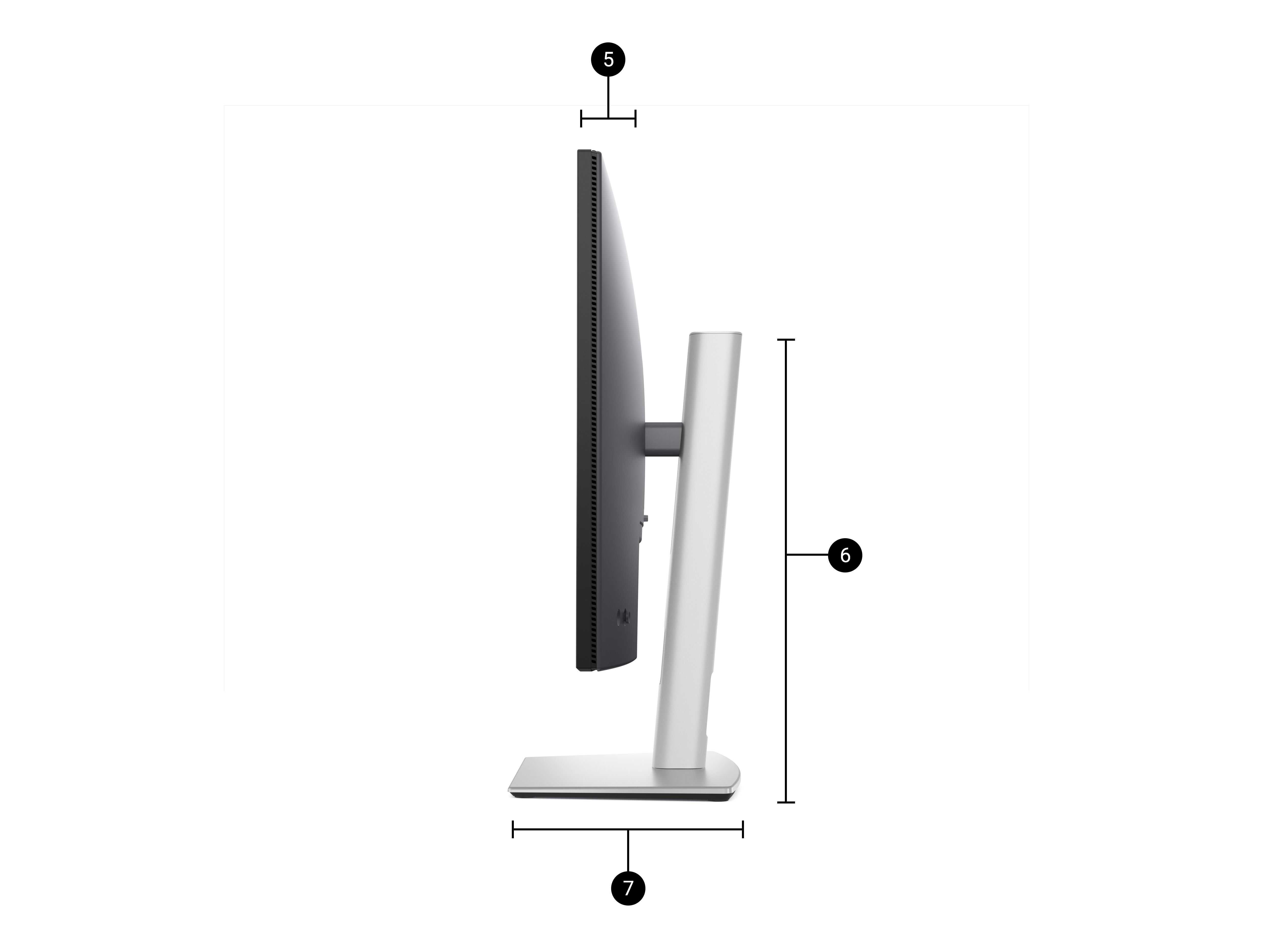
Dimensions and weight

  1. Monitor height with stand:
    Extended: 21.09 in. (535.70 mm)
    Compressed: 15.19 in. (385.70 mm)
  2. Monitor width: 24.11 in. (612.50 mm)
  3. Monitor height: 14.04 in. (356.55 mm)
  4. Stand width: 10.74 in. (272.84 mm)
  1. Monitor depth: 1.97 in. (49.99 mm)
  2. Stand height:
    Extended: 16.86 in. (428.30 mm)
    Compressed: 15.02 in. (381.50 mm)
  3. Stand depth: 7.44 in. (189.00 mm)

Weight

Weight with stand: 14.55 lb (6.60 kg)[11]
Weight without stand: 10.19 lb (4.62 kg)[12]
SKU: PCK17632 Categories: , ,
Brand Name

Dell

Monitor Type

Office

Screen Size

27 inch

Width Type

Wide

Curvature type

Flat

Display Type

IPS

Resolution

4K UHD

Refresh Rate

100hz

Response Time

5ms, 8ms

Ports

DisplayPort 1.2, HDMI 1.4, Network Port, USB 3.2, USB Type-C PD (data only), USB-C, VGA

Features

Height adjustment, pivot (rotation), Swivel, Tilt, Wall-Mount

Tech Specs

Technical Information

Diagonal Viewing Size

27″

Preset Display Area (H x V)

597.89 mm x 336.31 mm (23.54″ x 13.24″)
Area: 201,076.39 mm2 (311.67 inches2)

Panel Type

In-Plane Switching (IPS) technology

Display Screen Coating

Anti-glare with 3H hardness

Maximum Preset Resolution

1920 x 1080

Refresh rate

100 Hz

Viewing Angle

178° vertical / 178° horizontal

Pixel Pitch

0.3114 mm x 0.3114 mm

Pixel Per Inch (PPI)

81.57

Contrast Ratio

1,500: 1 (typical)

Aspect Ratio

16:9

Backlight Technology

LED edgelight system

Brightness

300 cd/m2 (typical)

Response Time

5ms gray-to-gray (Fast mode)
8ms gray-to-gray (Normal mode)

Color Support

Up to 16.7 million colors

Color Gamut

99% sRGB

TÜV Eye Comfort

Yes, 4-Star

Ficker Free

Yes

Connectivity

  • 1x HDMI 1.4 (HDCP 1.4) (Supports up to FHD 1920 x 1080 100Hz TMDS as per specified in HDMI 1.4)
  • 1x DP 1.4 (HDCP 1.4)
  • 1x DP-out (1.4) with MST (HDCP 1.4)
  • 1x RJ45 Ethernet Port, 1GbE
  • 1x USB 3.2 Gen1 Type-C upstream (Alt. mode with DP1.4) with up to 90W PD
  • 3x USB 3.2 Gen1 Type-A downstream
  • 1x USB 3.2 Gen1 Type-C downstream with up to 15W PD (data only)

Built-in Speaker

No

USB Power Delivery

Yes, up to 90W via USB-C upstream (Alt. mode with DP1.4) port, and up to 15W via USB-C downstream port

Adjustability

Height, Tilt, Swivel, Pivot

Height

Up to 150 mm (5.9″)

Tilt

-5°/+21°

Swivel

-45°/+45°

Pivot

-90°/+90°

Daisy Chain Availability

Yes

Dell Power Button Sync

Yes, via USB Type-C upstream port

Dell Display Manager Compatibility

Yes with Easy Arrange

Remote Asset Management

Yes

Voltage Required

100 VAC to 240 VAC / 50 Hz or 60 Hz ± 3 Hz / 2 A (typ)

Power Consumption (Operational) (typical)

0.3 W (Off mode)
0.4 W (Standby mode)
1.9 W (Networked Standby mode)
16.2 W (On mode)
180 W (Max)
16.6 W (Pon)
54.9 kWh (TEC)

Audio Output

Optional soundbar (sold separately)

Security

Security-lock slot (based on Kensington Security Slot)

Compliant Standards

ENERGY STAR certified monitor
EPEAT GOLD
EPEAT Climate+
TCO Certified Displays
TCO Certified Edge
RoHS-compliant
BFR / PVC free monitor (excluding external cables)
Arsenic-free glass and mercury-free (panel only)

Flat Panel Mount Interface

VESA (100 mm x 100mm)

Temperature Range

Operating: 0°C ~ 40°C (32°F ~ 104°F)
Non-operating: -20° ~ 60°C (-4° ~ 140°F)

Humidity Range

Operating: 10% ~ 80% (non-condensing)
Non-operating: 5% ~ 90% (non-condensing)

Altitude

Operating: 5,000 m (16,404 ft) max
Non-operating: 12,192 m (40,000 ft) max

What’s Included

  • 1x Monitor panel
  • 1x Stand riser and base
  • 1x Cable tie
  • 1x Quick setup guide
  • 1x Safety, Environmental, and Regulatory Information

Cables Included

  • 1x Power cord
  • 1x DP-to-DP cable, 1.8m
  • 1x USB 3.2 Gen2 Type C-to-C cable, 1.0m

Physical Characteristics

Height with stand (Compressed ~ Extended)

15.14″ ~ 21.05″

Width with stand

24.04″

Depth with stand

7.57″

Height without stand

13.97″

Width without stand

24.04″

Depth without stand

1.97″

Weight (panel only – for VESA mount)

9.61 lbs

Weight (with packaging)

19.11 lbs